
Audio comparisons
Compact Computer Speakers for a Desk
Our Pick is Creative Pebble V3 Black for an explicitly listed USB-C audio path, with Bluetooth and AUX alternatives. Pebble 2.0 Black is the alternative for front-facing volume control; Edifier G2000 Black is the feature-led alternative for listed input choices and selectable EQ
Short verdict
Our Pick is Creative Pebble V3 Black for an explicitly listed USB-C audio path, with Bluetooth and AUX alternatives. Pebble 2.0 Black is the alternative for front-facing volume control; Edifier G2000 Black is the feature-led alternative for listed input choices and selectable EQ modes. These are connection and desk-layout choices, not a measured loudness, bass or clarity ranking.
USB may carry power, audio or both. Confirm the exact signal path rather than assuming similarly named generations connect alike. Cable reach and actual desk dimensions also need checking.
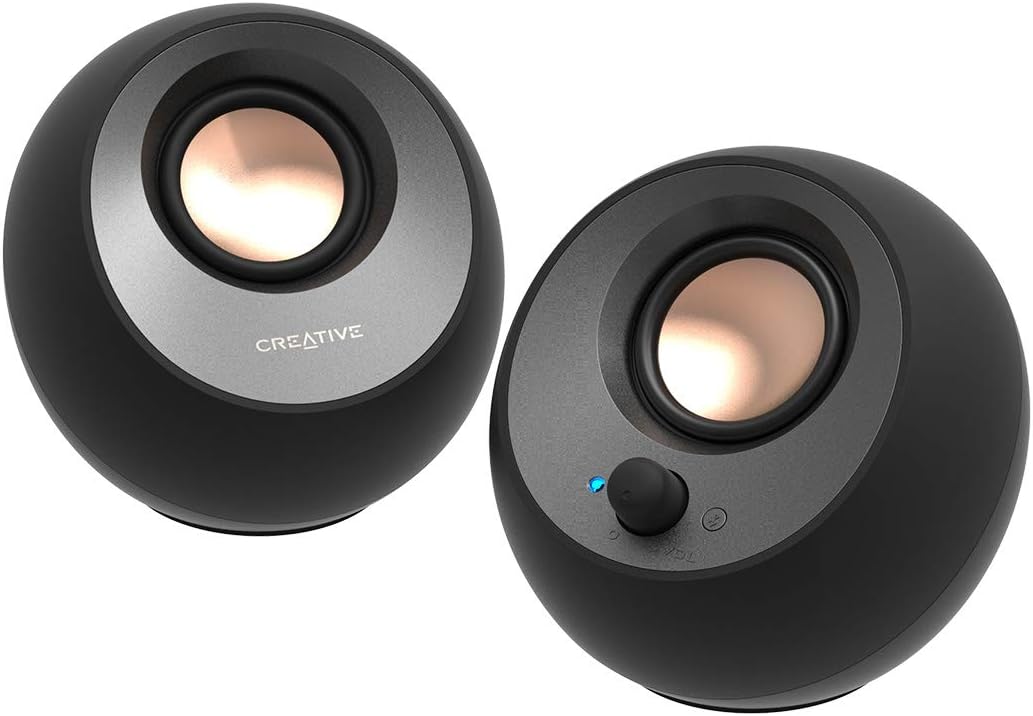
Our Pick: Creative Pebble V3 — Black, B08F57GSJ7
The listing explicitly describes USB-C audio without a separate 3.5mm audio cable, plus Bluetooth 5.0 and a 3.5mm AUX input. It says a USB-C-to-USB-A converter is included but an AUX cable is not. That makes the V3 a practical starting point if your priority is a documented USB audio connection with other source options.
The listed gain-switch operation requires a 10W USB-C or USB-A port. Do not assume every hub or computer port supplies that condition. Its higher-output marketing does not establish measured loudness or a comparable advantage over another speaker.
Customer reports praise sound and simple setup but describe frequent Bluetooth disconnections, USB connection problems, a USB-C connection that can come loose, early failures and mixed volume or weak bass. Some report long service; others report failure after brief use. Those cautions matter directly to a connection-focused pick. Test the actual port, cable route and source switching on your desk rather than assuming plug-and-play praise guarantees a stable connection.
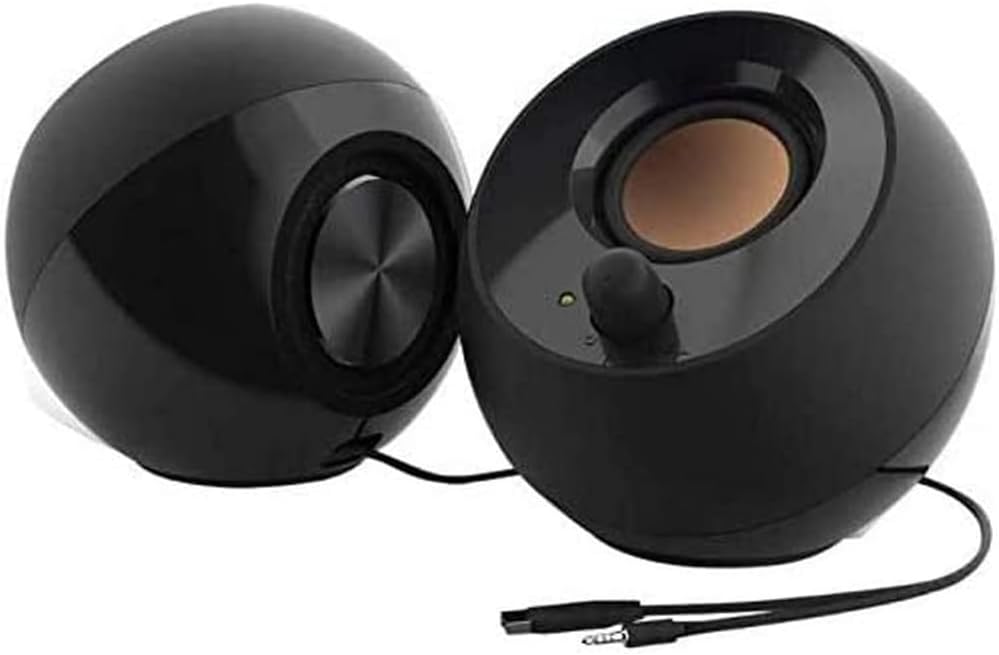
Best for front-facing volume control: Creative Pebble 2.0 — Black, B0791H74NT
The listing establishes front-facing volume control and 45-degree elevated drivers. The accessible knob is a concrete reason to consider this model if reaching behind a monitor would be awkward. Angled drivers describe placement, not a measured clarity or imaging advantage.
The listing's single-USB wording does not establish an unambiguous digital-audio path here. Before choosing it for a USB-only computer, confirm whether a separate analogue connection is required for the exact model. Do not transfer the V3's explicit USB-C audio, Bluetooth or AUX specifications to this version.
Customer reports praise sound, compact shape and easy setup but describe limited maximum volume, weak bass, static or rattling at higher levels and units stopping after short use. Some also report damaged or resealed packaging. These are attributed cautions, not a failure rate or an acoustic measurement. Choose it for the accessible control arrangement if the verified connection suits your source, not for promised room-filling sound.
Best for listed input choices and EQ modes: Edifier G2000 — Black, B00UAFSN5O
The listing names USB sound-card, Bluetooth and 3.5mm AUX inputs, Game/Music/Movie EQ modes, lighting effects and a subwoofer-output interface. Those documented features support a qualified option for shoppers who want those choices in a desktop system. They do not establish simultaneous input mixing, automatic switching or compatibility with every console listed in marketing copy.
Customer experience is not established in this comparison for this exact variant. The recommendation is limited to its listed design and connection features, not durability, connection stability or sound quality. Test the needed source and controls while return options are available. Confirm the power arrangement, included cables, pair contents and inter-speaker reach before buying; these details are not inferred from the family name.
The 16W RMS/32W peak wording is not a measured loudness or room-coverage comparison. The output interface does not establish universal subwoofer compatibility or that a subwoofer is included.
Supported connection snapshot
| Exact model | Listing-backed connection/control | Important limit | Grade |
|---|---|---|---|
| Pebble V3 Black | USB-C audio; Bluetooth; AUX; converter listed | AUX cable excluded; gain mode requires stated port power | Not rated |
| Pebble 2.0 Black | Front volume knob; USB wording | Confirm power versus audio path; no V3 feature transfer | Not rated |
| G2000 Black | USB sound-card/AUX/Bluetooth; EQ modes | Exact customer experience and cable/power layout not established | Not rated |
None of these facts establishes cabinet fit or cable reach on your desk. Confirm complete pair contents, dimensions and power requirements for the exact purchase.
Arrange the complete desk setup
Measure the space on both sides of the monitor and the route to the computer or hub. Distinguish inter-speaker cable length from power and audio leads; do not infer reach from a photograph. A USB charging port is not automatically an audio source, and an adapter fitting does not establish the needed signal or power capability.
Check where the volume and source controls sit. Multiple inputs do not guarantee automatic switching or mixing. Do not infer microphone, headset or subwoofer functions that the exact model does not document. Keep cables clear of moving desk parts and follow exact power and care instructions.
Research limits
This is listing and attributed-customer research, not hands-on acoustic or electrical testing. Praise and complaints are shopping signals rather than verified failure rates. No measured loudness, bass, clarity, coverage or durability ranking is inferred, and no warranty duration or repair outcome is promised.